
The Marketing Kit is a great way to create custom marketing materials quickly and easily using templates.
There are a few profile items that will self-aggregate within the appropriate spaces in different types of media available in the Marketing Kit, as well as in the Property Website. Adding a profile picture, logo, and formatting your phone number is easy and you only have to do it once!
(please note: at the time of this writing the company that runs my portal is actively upgrading the UI, so a few things may look different, but the names of everything should be the same)
Go to your dashboard at agent.foxtrotphoto.com/dashboard
Click on the “Account” button (on desktop it’s currently visible along the top of the screen)
You should be dropped right into the “Basic Data” tab and you should see a screen that looks like this:
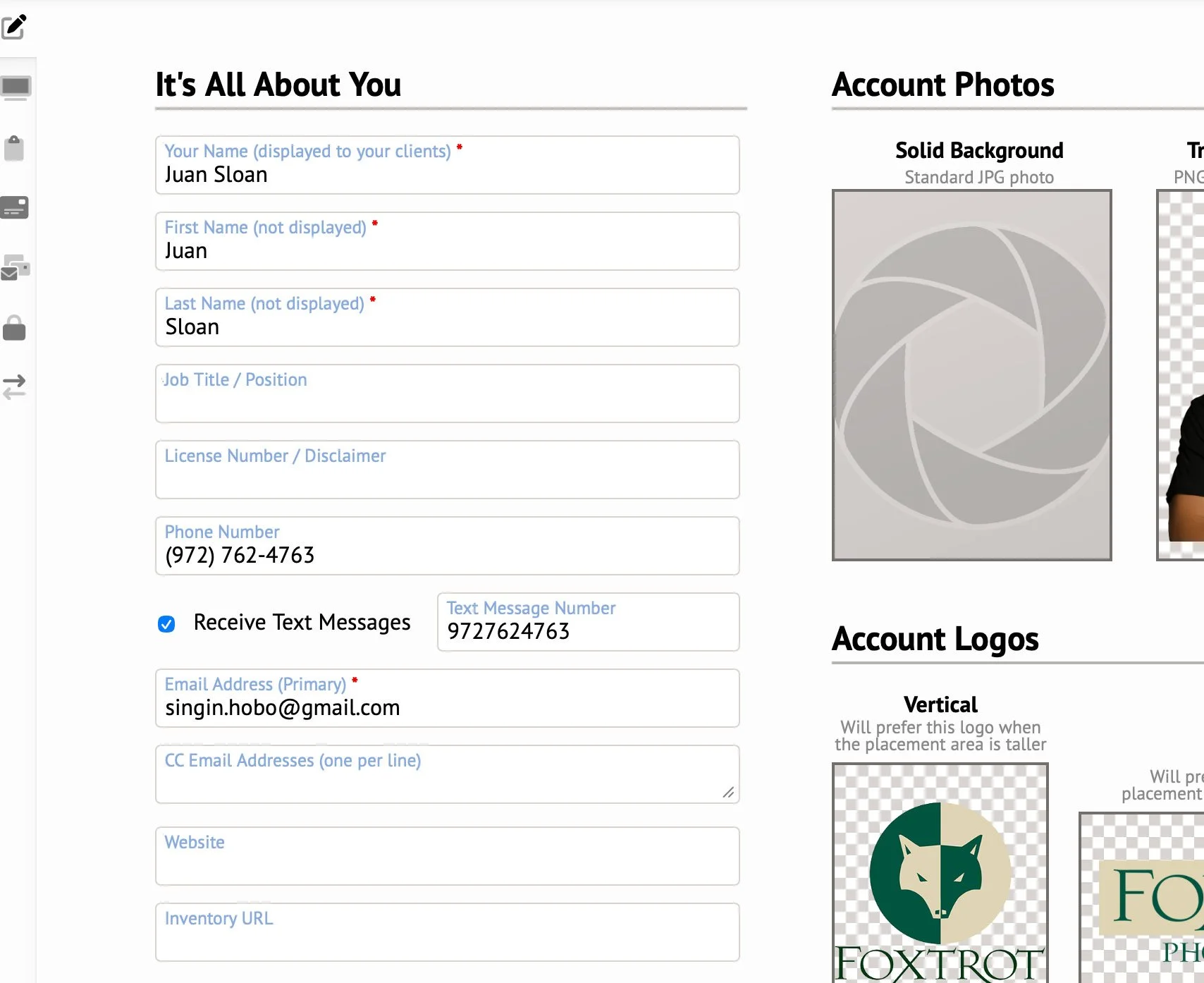
From here just double-check all of your information.
You have to spaces for your name, one is your “display” name and the other is the name on your account — your “Display” name will be public facing on your marketing materials.
There are two places where you’d enter your phone number. One to receive text messages (these are the reminders you get from my system about upcoming appointments — this number should be your main cell phone number) and just above that is simply “Phone Number” — this is the public facing formatting so double-check that it’s the way you want it displayed in the Marketing Kit materials. The portal will often default to include the country code and no dashes or parenthesis, but you can change it to whatever works best for you.
Fill in whatever other information you want to self-aggregate in the Marketing Kit and property sites.
Add photos and logos. There are places for different types of logos and headshots, but they aren’t all required — some materials may be specially designed to work best with a horizontal or vertical logo or a headshot with a transparent background, but if those aren’t available they will either be left out, or they will use whatever is available.
Not all information will be used in every type of media, but it’s good to have it available for wherever it’s appropriate.
Several items on the “Basic Data” page are not used in the marketing kit, CC email addresses are just additional emails that will receive all of your system messages (invoices, scheduling, deliveries) — but are not included in the Marketing Materials.